Colour Temperature and CRI: Why Mixed Light Ruins Video
Why your footage looks amateur: two light sources at different colour temperatures, and a CRI number on the box that hides the one value that matters.
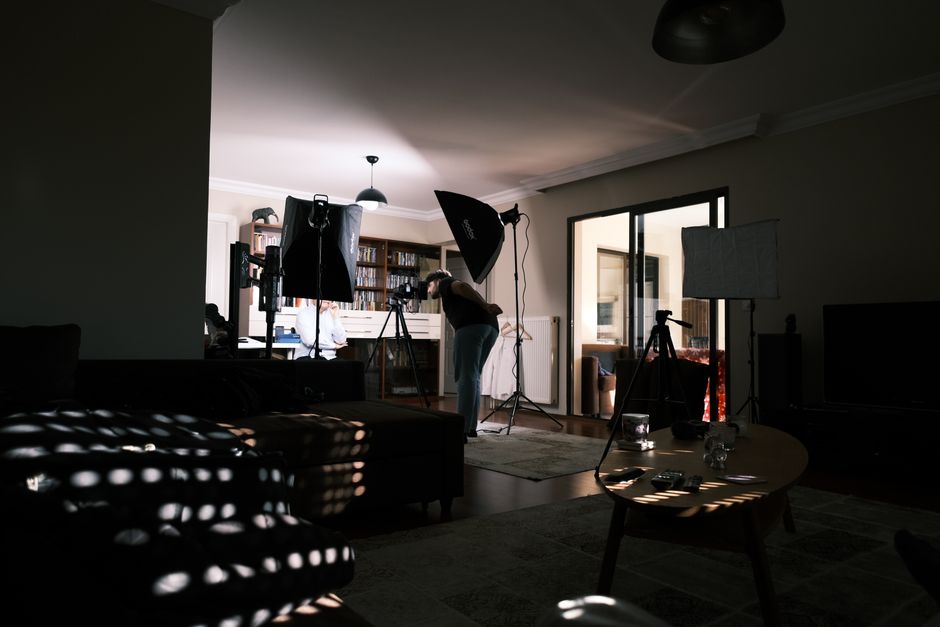
Most "why does my video look amateur" problems are not camera problems. They are two lights of different colours in one room, and a camera that can only apply one correction to the whole picture.
This is the explainer behind the gear. Once colour temperature and colour rendering make sense, choosing lights stops being guesswork, and our portable lighting kit guide reads as a set of deliberate decisions rather than a shopping list.
What is colour temperature?
Colour temperature describes the colour of a light source, measured in kelvin (K). It comes from physics: heat a theoretical black body and it glows through red, orange, yellow, white and finally blue as it gets hotter. Light sources are labelled with the temperature that produces their colour.
The scale runs opposite to how we talk about colour. Low numbers are orange and we call them warm; high numbers are blue and we call them cool. A 2700K bulb is warmer-looking than a 5600K panel despite the smaller number. Roughly where common sources land:
1800K - candle flame
Deep orange. Atmospheric, useless as a key light.
2700-3200K - household bulbs, tungsten
The warm domestic look. Standard tungsten film lighting sat at 3200K.
4000K - neutral white
Office strip lighting. Neither warm nor cool, often the least flattering.
5600K - midday daylight
The photographic daylight standard, and what most window light approximates.
6500-7500K - overcast sky and open shade
Noticeably blue. Shade is bluer than direct sun, which surprises people.
Why can't white balance just fix it?
White balance tells the camera which colour temperature to treat as neutral. Set it to 5600K and the camera assumes daylight, so daylight renders as white. Set it to 3200K and it assumes tungsten and neutralises the orange.
The catch is that this is a single, frame-wide adjustment. There is one white balance setting per shot, applied to every pixel. When one side of your face is lit by a 5600K window and the other by a 2700K desk lamp, correcting for the window leaves the lamp side orange, and correcting for the lamp leaves the window side blue. There is no setting that fixes both, because the camera cannot tell which pixels came from which source.
Colour grading afterwards has the same problem. You can push the whole image, or mask a region by hand, but the moment your subject moves between the two pools of light the mask stops working. This is why the fix belongs in the room, before you press record.
How do you fix mixed lighting?
Three approaches, in order of how well they work in a small room.
Kill one source. The most reliable fix is to stop having two colours. Close the curtains and light entirely with your own lamps, or turn the room lights off and shoot entirely by window light. Free, instant, and it removes the problem rather than managing it.
Match the sources. A bi-colour LED panel adjusts across roughly 2700K to 6500K, so you can dial it to whatever the window is doing and keep both. Alternatively, gels do it the analogue way: CTO (colour temperature orange) warms a daylight-balanced light towards tungsten, and CTB (colour temperature blue) cools a tungsten source towards daylight.
Overpower the source. If your light is much brighter than the contaminating one, the contamination stops mattering. This works in practice mostly for professionals with big fixtures, because a domestic LED panel rarely overpowers a south-facing window.
What does CRI actually measure?
Colour temperature tells you what colour a light is. It says nothing about how well that light renders the colours it falls on, and that is a separate problem entirely.
The Colour Rendering Index (CRI) scores a source out of 100 by comparing how it renders a set of test colour samples against a reference of the same colour temperature. The number quoted on packaging is Ra, and this is where it gets slippery: Ra is the average of only the first eight samples, R1 to R8, and all eight are relatively low-saturation pastels.
Saturated colours are tested separately and are not in the average. The important one is R9, saturated red - the hardest colour for an LED to reproduce and the one that is excluded from the number on the box.
Why does R9 matter more than the headline number?
Because skin is red underneath. Skin tone is driven by blood beneath the surface, so a light that is weak in saturated red renders people as ashen, grey or faintly green - and does so while displaying a perfectly respectable Ra on the box.
That is the specific trap in cheap LED panels. A panel can advertise 95+ CRI, score it legitimately on eight pastel samples, and still have almost no output in deep red. The footage looks subtly wrong in a way that is hard to name and hard to grade out, because the information was never captured. Manufacturers who are confident about R9 publish it; ones who are quiet about it usually have a reason.
There is also a metric built specifically for this problem. TLCI (Television Lighting Consistency Index) was introduced by the European Broadcasting Union and models a camera sensor and display rather than the human eye, across a wider set of reference colours. CRI was designed for architectural lighting and human vision; TLCI asks the question we actually care about, which is what the camera will record.
How do you set white balance properly?
Two methods, and both beat leaving it on auto.
Dial in the kelvin value. If you know your lights are 5600K, set the camera to 5600K. This is fast, repeatable across takes, and it is what most people should do once their sources match. It also means every clip from the shoot grades identically, because the setting never moved.
Set a custom white balance. Hold a grey card or a sheet of white paper where your subject will sit, fill the frame with it, and tell the camera to use that as neutral. This is more accurate than guessing because it measures the light actually landing on your subject, including any colour the walls are bouncing back. A white wall behind a coloured curtain can tint an entire setup in a way no kelvin value predicts.
Whichever you use, do it again if you move the lights or the sun goes in. Daylight drifts: a window that reads 5600K at midday can climb well past 7000K under heavy cloud, and shade is bluer still.
Why don't two identical panels always match?
Buy two of the same LED panel and they can still disagree slightly, which is maddening when one is your key and the other your fill.
LEDs are sorted after manufacture into bins by colour and brightness, because the process cannot hold a tight enough tolerance to make every chip identical. Two panels from different production batches can sit in different bins and land a little apart in both temperature and tint. Cheaper fixtures use wider bins, so the drift is larger.
Practical consequences: buy matched lights at the same time rather than adding to a kit piecemeal, and if you are mixing anyway, put the odd one out where it does least harm - as a background or hair light rather than on a face. A mismatch across a subject's face is obvious; the same mismatch on a wall behind them usually is not.
Output also shifts with dimming on some fixtures, which is why a panel run at 20 per cent can read cooler than the same panel at full power. If you need to reduce brightness precisely, moving the light further away or diffusing it keeps the colour where you set it.
What about the green-magenta problem?
Colour temperature is only one axis. The second runs from green to magenta, and it is the reason a shot can look wrong even when the kelvin value is correct.
Fluorescent tubes and inexpensive LEDs frequently push green. Your camera's white balance has a separate tint control for exactly this, usually marked with a green-magenta slider alongside the kelvin setting. If footage looks slightly sickly and adjusting the temperature only moves it between orange and blue without ever landing on neutral, the problem is on the tint axis instead.
It is another argument for matching sources. Two lights at the same kelvin value but different tints will still disagree, and the mismatch is harder to spot on a small screen than a straightforward orange-blue split.
What should you actually do?
Pick one colour temperature per shoot and make everything match it
This single decision solves most of what people blame on their camera.
Set white balance manually, never auto, in mixed light
Auto has no right answer and will drift between takes.
Look for a published R9 figure, not just the Ra headline
A silent manufacturer usually has a weak red. TLCI is a better guide again where it is quoted.
Treat the window as the key light in a small room
Then turn off everything else rather than trying to balance against it.
Check the tint axis when temperature alone will not go neutral
Green-magenta is the second half of white balance and the one people forget.
Fix colour in the room, not in the edit
A frame-wide correction cannot separate two sources, and masks break the moment your subject moves.