GoPro HERO8 for YouTube: Using the Camera You Already Own
Is the GoPro HERO8 good for YouTube? What it does well, where it falls short, the settings to use and how to get a proper mic into it.
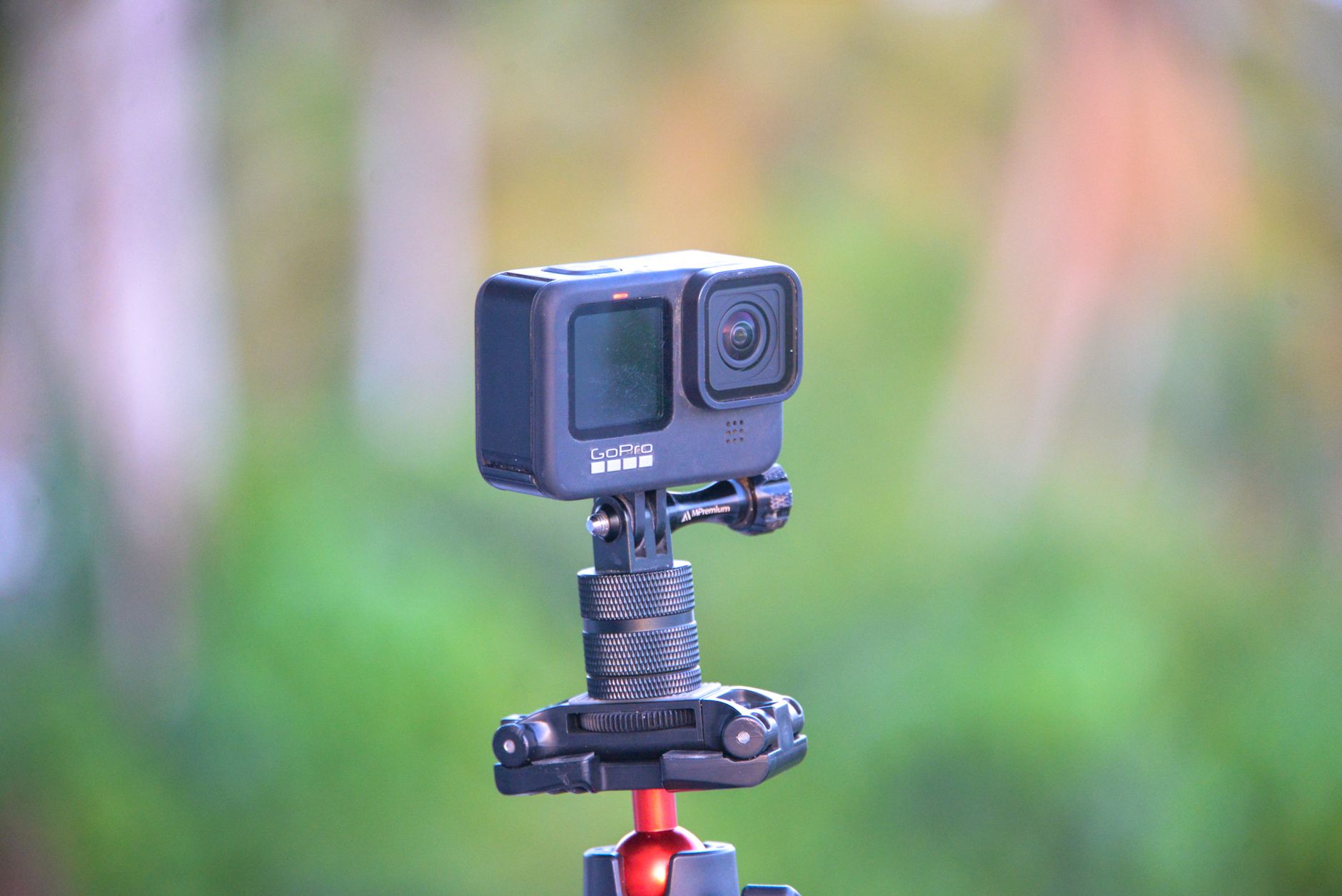
The GoPro HERO8 is GoPro's 2019 flagship action camera, and the short verdict on the GoPro HERO8 for YouTube is that it makes a strong second camera and a weak only camera. I own a HERO8 Black, and it is the camera I am setting up for filming on the go on my own beginner channel, alongside a phone and an old DSLR. This guide works out what the HERO8 does well on a channel, where it falls short, which settings suit talking to camera, and how to get decent sound into it.
What follows about how the camera records is research from independent reviews and GoPro's own announcements, linked as I go. The parts in the first person are my own choices for my own kit. The Amazon UK link on this page is an affiliate link: if you buy through it, Creator Kit Lab earns a small commission at no extra cost to you.
Is the GoPro HERO8 good for YouTube?
The GoPro HERO8 Black (GoPro's 2019 flagship action camera, launched in the US at $399) is good for YouTube when the shot is outdoors, on the move or mounted somewhere a phone would not survive. It is a poor fit for a seated talking head at a desk, where a phone or a camera with a screen facing you does the job with less fuss.
Engadget (the long-running US technology site) summed the HERO8 up as a camera without one headline feature but with a set of sensible upgrades that add up. Three of those upgrades matter most for a channel: stronger stabilisation, mounting built into the body and a simpler way to save your settings.
It is also a 2019 camera. GoPro has released several newer models since, so treat the HERO8 as kit worth using if you already have one, not as the camera to buy for a new channel. I come back to that at the end.
What does the HERO8 do well on a YouTube channel?
Engadget's review sets out the improvements over the HERO7, and four of them help a YouTube creator directly:
- Stabilisation in every mode. HyperSmooth 2.0 (GoPro's in-camera electronic stabilisation) now works at every resolution and frame rate, so you no longer trade smooth footage for 4K or slow motion. A walk-and-talk or a bike-mounted shot stays watchable without a gimbal.
- Mounting fingers in the body. The folding mount that used to need a separate frame is built in. You clip the camera straight onto a GoPro mount, and the battery and memory card stay reachable while it is mounted.
- Linear in 4K. The Linear digital lens, which removes the fisheye bend in real time, now works at 4K. On the HERO7 it stopped at 2.7K.
- Capture Presets. You can save your own combinations of resolution, frame rate, lens and stabilisation and call them up with a tap. Set one up for talking to camera and one for b-roll, and you stop fiddling with menus on location.
Those four points are why the HERO8 earns a slot as the outdoor camera: it is small, tough, stabilised and mounts almost anywhere.
Where does the HERO8 fall short for YouTube?
The limits all show up when you point the camera at yourself or film for a long time:
- No front preview screen. The small front display shows status, not your picture, so you cannot check framing while you talk. GoPro's Display Mod, a fold-out screen accessory, was the official fix.
- About an hour of battery. The 1,220mAh battery gives roughly an hour of active use, per Engadget. For a long shoot, carry spares or plan to charge between takes.
- No 3.5mm mic input on the body. The built-in mics are the weakest part of the camera for spoken video, and adding a proper mic takes an accessory. The audio section below covers the options.
- No HDMI port on the body. The HERO8 dropped the HDMI port, so live monitoring or capture needs an accessory too.
- A fixed lens cover. The cover is no longer removable, which matters only if you planned to fit screw-on filters.
None of these stops a channel. They do decide which videos the HERO8 should film.
Which HERO8 settings suit YouTube?
Start from what each video needs, then save it as a Capture Preset. These are the settings I would set up first, reasoned from GoPro's own options:
| Setting | For talking to camera | For action and b-roll |
|---|---|---|
| Digital lens | Narrow or Linear | Wide or Linear |
| Resolution | 4K or 1080p | 4K |
| Frame rate | 25fps (UK) | 50fps for slow motion |
| HyperSmooth | On | High, or Boost on rough ground |
Lens. GoPro's digital lenses are crops of the wide view. Engadget describes Narrow as close to the field of view of a phone camera, which suits a face far better than the stretched fisheye look. Linear keeps a wider view with straight lines, and works well for walk-throughs.
Stabilisation. HyperSmooth On and High crop the frame by about 10%, and Boost crops more again, per Engadget. Use Boost only when the ground is rough enough to need it.
Frame rate. UK mains lighting runs at 50Hz, so 25fps or 50fps avoids flicker under indoor lights. My guide to frame rate, shutter speed and the 180-degree rule explains why.
How do you get good audio into a GoPro HERO8?
Sound is the HERO8's weakest point for YouTube, and the fix is a microphone plugged into the camera. That needs a 3.5mm input, which the HERO8 body does not have. There are two ways to add one.
The Media Mod. GoPro's Media Mod for the HERO8 Black (a frame that wraps the camera and adds ports) gives you a built-in shotgun mic, a 3.5mm mic input, two cold shoes for mounting accessories, micro-HDMI out and a USB-C port. It weighs 50g and launched in the US at $79, according to DC Rainmaker (a long-running independent gear-testing blog). Digital Trends notes the input takes powered or unpowered mics or line-in, and that a plugged-in mic overrides the internal ones. Both reviews agree the real value is the 3.5mm port rather than the built-in mic.
The Media Mod has costs. You remove the battery door to fit it, so changing the battery or card means taking the rig apart. Inside it the camera is no longer waterproof. It has no battery of its own, and its USB-C port charges the camera in place. DC Rainmaker also found its HDMI output unreliable, with sound and picture out of sync.
A USB-C to 3.5mm adapter. GoPro made its own Pro 3.5mm Mic Adapter, a small dongle that plugs into the camera's USB-C port. It adds a mic input but no cold shoe, and the side door has to stay open. Third-party adapters exist, but owners have reported generic ones not being recognised by the HERO8, so test any adapter as soon as it arrives.
I went with a second-hand official GoPro Media Mod, because I want the option of using the HERO8 on the go, and the workaround setups looked awkward for that. It is discontinued, so second-hand is the only way to get one now.
Which microphone works with a HERO8?
For on-the-go video, a clip-on wireless mic is the natural partner: the transmitter sits on your collar and the receiver sits on the camera. I bought the DJI Mic Mini 2S (1 TX + 1 RX). The DJI Mic Mini 2S (the 2026 update to DJI's smallest wireless lavalier mic) seemed the best fit for my kit, particularly for the backup recording it keeps on the transmitter, which I think is worth paying the extra for.
The receiver is where a HERO8 owner trips up. I assumed that because the DJI receiver has USB-C, I could plug it straight into my GoPro. I did not know why I would need a 3.5mm mic input at all. The HERO8's USB-C port is not a straightforward mic input, so the receiver connects by its 3.5mm cable into the Media Mod or an adapter. That same reasoning is why I chose the standard receiver: the version with the Mobile receiver is USB-C only and would not work with my Nikon D3300 either.
For other mic options at different budgets, see my comparison of the best wireless microphones for creators.
Can the GoPro HERO8 work as a webcam for YouTube?
Yes. Since July 2020, a firmware update plus GoPro's free GoPro Webcam desktop app lets the HERO8 Black work as a USB webcam at 1080p, with 720p as an option, as GoPro announced at the time. GoPro named YouTube live streaming as one of the uses. At launch the app was Mac-only, with Windows support in development, so check the current version for your computer before you plan around it.
The camera can also live stream directly at 1080p, an upgrade from the 720p of earlier models. For a regular desk stream, though, a dedicated webcam or your phone is simpler to leave set up than an action camera with an hour of battery.
How does the HERO8 compare with a phone or an old DSLR?
A lot of new creators have the same three cameras to hand: a phone, an old DSLR and an action camera. Mine are a Pixel 9a (Google's 2025 mid-range Android phone), a Nikon D3300 (Nikon's 2014 entry-level DSLR) and the HERO8. Here is how they split the work:
| GoPro HERO8 Black | Pixel 9a | Nikon D3300 | |
|---|---|---|---|
| Best video mode | 4K at 60fps | 4K at 60fps (main camera) | 1080p at 60fps |
| See yourself while filming? | No, without the Display Mod | Yes, front camera | No, fixed screen |
| External mic | Media Mod or adapter | USB-C, unconfirmed on the 9a | Native 3.5mm jack |
| Best job | Outdoor, moving, mounted shots | Talking to camera, overhead | Product shots, background blur |
The Pixel 9a for YouTube guide covers the phone in depth, and is the Nikon D3300 good for YouTube? covers the DSLR.
Should you buy a GoPro HERO8 for YouTube now?
Not as your first purchase. I am only going down the HERO8 route because I already have one. Most people starting out will be starting from scratch, or will have different equipment to hand, and what I am doing is not going to be the best route for most people.
If you have a HERO8 in a drawer, use it for what it is good at: outdoor, moving and mounted shots, with a mic plugged in through the Media Mod. If you are buying from nothing, put the money into a mic and light first, and film on the phone you already carry. My YouTube starter kit UK guide builds each budget tier from a standing start, and the vlogging kit UK guide covers kit for filming on the move.
Frequently asked questions
Can the GoPro HERO8 film in 4K for YouTube?
Does the GoPro HERO8 have a microphone input?
Does the HERO9 Media Mod fit the HERO8?
Is the HERO8 good for vlogging?
Which lens setting is best for talking to camera on a HERO8?
Can I use a GoPro HERO8 as a webcam?
Sources
Pixel 9a for YouTube
Is the Nikon D3300 good for YouTube?
Vlogging kit UK