What Is an Overhead Camera Arm? A Beginner's Guide
What an overhead camera arm does, the five types, the terms on every listing, and what matters when choosing one for top-down YouTube shots.
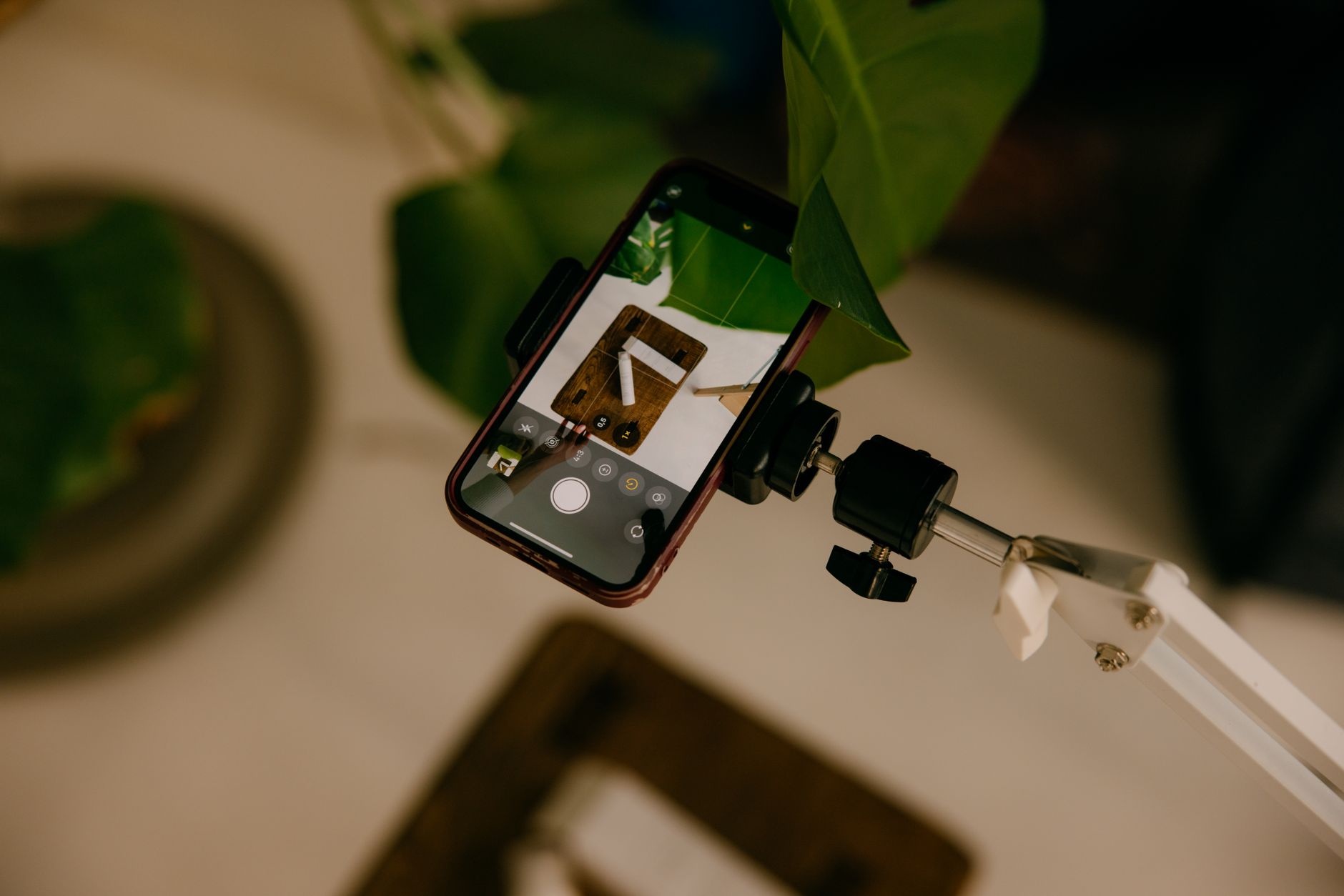
An overhead camera arm is the piece of kit that gives a new channel its top-down shot: the view straight down onto a desk, a chopping board or a product. A normal phone tripod points sideways at the world. An overhead arm reaches out over the work and turns the camera to face the surface, so the frame shows the hands and the object rather than the person.
This guide explains what an overhead camera arm does, the five types sold in the UK, the words their listings use, and what matters when choosing one. It names no winners. For mount-by-mount numbers, the overhead desk mount guide compares clamp sizes and arm ratings, and the overhead phone filming guide covers height, levelling and camera settings.
Six beginner-budget mounts are compared, with a final choice, in the budget overhead phone mount post, and the sturdier desk stands above them in the mid-range overhead camera mount guide. Both are part of the series on what kit a new YouTube channel needs.
What is an overhead camera arm?
An overhead camera arm is a rigid or jointed bar that holds a camera horizontally out from a support, with a mount at its tip that lets the lens point down. The shot it produces goes by three names: overhead, top-down or flat-lay. All three mean the camera looks straight down at a flat surface.
Every overhead arm, cheap or expensive, has the same three jobs:
- Hold. Grip the support firmly enough that the arm does not slide or rotate.
- Reach. Carry the camera out far enough to sit over the middle of the subject, not over its edge.
- Aim. Turn the camera to face the surface squarely, so a rectangular board films as a rectangle.
No Film School's walk-through of a home overhead rig builds it from exactly those parts: a swinging boom arm, a ball head and a phone clamp (No Film School: overhead iPhone camera setup). Commercial arms package the same three parts in different ways, and that packaging is what separates the types below.
Why do new channels need an overhead shot?
Top-down footage is the angle a creator cannot fake with a phone propped against a mug. It is the standard view for:
- Unboxings and product close-ups. The product sits flat in frame with the hands working around it.
- Desk b-roll. Short cutaway clips of typing, writing or plugging in kit, used to cover a voiceover. B-roll is the secondary footage cut over the main narration.
- Cooking, crafts and drawing. The work happens on a flat surface, so the camera has to be above it.
- Tutorials on paper or a tablet. The viewer reads what the hands are doing.
For a voice-led or faceless channel, overhead footage carries much of the video. The faceless channel setup guide explains how that format leans on hands-and-desk shots instead of a talking head.
What are the parts of an overhead arm?
Listings for overhead arms use a short vocabulary. Each term below names a part you can point at.
- C clamp. A screw clamp shaped like the letter C that grips a desk edge. Its maximum opening is the thickest desk it fits.
- Crab clamp or super clamp. A smaller jaw clamp that grips a tube or a thin edge, such as a light-stand pole or a shelf. It opens far less than a C clamp.
- Column. The upright pole that sets height on a stand-style rig.
- Cross arm or auxiliary holding arm. A horizontal arm that clamps onto a column. Neewer, a Chinese maker of budget studio gear, calls its add-on arm an auxiliary holding arm designed for horizontal installation on desk stands (Neewer: DS008 specifications).
- Magic arm. A jointed arm with a single central knob that locks every joint at once by friction. Loosen it, pose the arm, tighten it.
- Ball head. A small swivel joint under the camera that tilts and turns it in any direction, then locks.
- Phone clip. A sprung clamp that holds a phone and screws onto the arm. Each clip lists the phone widths it fits, for example 58 to 85 mm.
- 1/4-inch thread. The standard camera screw, written 1/4"-20, found on the base of cameras, phone clips and small lights. Almost every overhead arm ends in one.
- 3/8-inch and 5/8-inch threads. Larger screws used by heavier accessories and microphones. Desk stands often ship with adapters between the three sizes (Neewer: ST008 specifications).
What are the main types of overhead camera arm?
Five designs cover nearly everything sold in the UK. They differ in what they attach to, and that decides where you can film.
1. Add-on arm for a stand
A short horizontal arm that clamps to the column of a desk stand you already own. It is cheap and rigid, and adds an overhead position to an existing rig. Its limit is the clamp: Neewer's add-on arm grips columns of 22 to 28 mm only (Neewer: DS008 specifications). Many light stands use a thinner tube at the top, so measure the pole before buying one for a light stand.
2. Desk stand with an arm
A complete kit: a C clamp, a telescopic column and one or more cross arms. The larger versions are called tree stands, because several arms branch off one column and carry a camera, a light and a microphone at once. These are the steadiest desk option and the bulkiest.
3. Magic arm with a clamp
A friction arm with a crab clamp at one end and a phone clip or ball head at the other. It attaches to almost anything with an edge or a tube: a desk lip, a shelf, a light-stand pole. That makes it the most flexible type for a beginner who films in more than one place. The trade-off is load: a friction joint holds less weight than a locked column.
4. Phone-only articulated desk arm
A spring-jointed arm, similar to an anglepoise lamp, with a phone clip at the tip. These are the cheapest and lightest-duty arms. They suit a phone and nothing heavier.
5. Tripod with a horizontal column or gooseneck
A floor tripod whose centre column swings to horizontal, or which carries a bendable gooseneck arm. It is the room-scale option: it stands anywhere, reaches higher than a desk rig and frames a larger area, such as a whole table or a floor layout. It takes up floor space, and a gooseneck is the type most prone to drooping under a heavy phone.
Overhead arm types at a glance
| Add-on arm | Desk stand with arm | Magic arm | Phone desk arm | Horizontal tripod | |
|---|---|---|---|---|---|
| Attaches to | An existing stand column | Desk edge (C clamp) | Desk lip, shelf or tube | Desk edge | The floor |
| Carries | Phone or light camera | Camera plus light or mic | Phone or small camera | Phone only | Phone to full camera |
| Best for | Adding overhead to a rig you own | A fixed desk setup | Filming in more than one place | Simple desk b-roll | Large surfaces and room-scale shots |
What matters when choosing an overhead arm?
Work through these in order. The first two rule arms out; the rest separate the arms that are left.
1. What will it carry?
Start with the heaviest thing that will sit on the arm. A modern phone weighs around 200 g; Google lists the Pixel 9a at 186 g (Google Store: Pixel 9a technical specifications). Every overhead arm on sale carries a phone. A camera with a lens is a different job, often several times the weight, and it rules out light-duty arms straight away.
2. Does the load rating belong to the arm?
A load rating is the most weight a part holds. Stand listings frequently quote the column's rating in the headline and the arm's lower rating in the small print. Neewer's ST008 tree stand, for example, rates its centre column for 5 kg and each cross arm for 2.5 kg (Neewer: ST008 specifications). The arm figure is the one that matters for an overhead camera. Treat it as a ceiling, not a target: an arm loaded close to its rating sags further at full reach.
3. Will the clamp fit?
Measure the thickness of the desk top, the shelf or the stand tube before choosing. A C clamp lists its maximum opening; a crab clamp lists the tube diameters it grips. The clamp also needs a flat lip with nothing underneath it: a drawer, a frame rail or a bevelled edge can stop it seating.
4. How far does it reach?
Reach is how far the arm extends from its support. The lens needs to sit over the centre of the subject, so a deep desk or a large board needs more reach. Every extra centimetre also adds leverage on the joints, which makes the camera bounce more when the desk is knocked. Buy enough reach, not the most.
5. How high does the camera need to be?
Height decides how much of the surface fits in frame. A desk rig reaches roughly a metre; a floor tripod or light stand goes well beyond that. A phone's main lens is wide, so a phone needs less height than a camera with a longer lens to frame the same board.
6. Does the phone clip fit the phone in its case?
Phone clips list a width range. Measure the phone with its case on, because a thick case pushes a phone past the top of a narrow clip.
7. Will it stay put?
Sag is a slow droop under weight; drift is the shot creeping out of position mid-take. Both are the classic complaint about cheap overhead arms, and both get worse at full extension and with heavy phones. Locked joints with serrated or toothed faces resist drift better than smooth friction joints.
Is an overhead arm better than a tripod?
For a fixed desk, an arm is usually the better tool. It takes no floor space, stays set up between sessions and keeps its legs out of the frame. A tripod with a horizontal column is better for filming in different rooms, for large surfaces and for heavier cameras that no desk arm carries. The deciding question is simple: will most of the overhead filming happen at the same desk?
A plain tripod pointed downwards does not do the job. Its legs and column sit inside the frame, and it cannot put the lens over the middle of a table. That is the gap an overhead arm exists to fill.
Which overhead arm suits a beginner?
Match the type to the setup, not to a brand:
- Phone only, one desk: a phone desk arm or a magic arm is enough.
- Phone, several places: a magic arm with a crab clamp moves between a desk, a shelf and a light stand.
- Camera with a lens, or a light and mic on the same rig: a desk stand with arms rated well above the camera's weight.
- Already own a desk stand: an add-on arm, once the column diameter is confirmed.
- Large table or floor layouts: a tripod with a horizontal column.
A first overhead rig rarely needs to be expensive. The extra money buys load capacity and steadier joints, which matter once a heavier camera goes on the arm. For a phone, the cheaper types do the job.
Common overhead arm mistakes
Buying by the column rating.
The arm's own rating is the limit for an overhead camera, and it is usually far lower.
Not measuring the desk or tube.
A clamp that does not open wide enough, or a lip that is too narrow, makes the whole arm useless.
Extending to full reach by default.
More reach means more bounce. Use the shortest reach that centres the lens.
Ignoring the case.
A phone that fits the clip bare can be too wide in its case.
Lighting from behind the arm.
The arm and the phone cast a shadow onto the work. Light from the sides instead; the softbox guide explains soft side light.
Summary: how to read any overhead arm listing
- Identify the type. Add-on arm, desk stand, magic arm, phone desk arm or horizontal tripod.
- Find the arm's load rating, not the column's, and compare it with the heaviest camera you will use.
- Check the clamp opening against your desk, shelf or stand tube.
- Check the reach against the depth of the surface you film.
- Check the phone clip range with the phone in its case.
- Look at the joints. Locking, toothed joints hold position better than smooth friction ones.
An overhead camera arm is a simple tool with one job: hold the camera square above the work, steadily, for the whole take. Choose the type by where you film, then the model by load, clamp and reach.
Frequently asked questions
What is an overhead camera arm used for?
Can a phone tripod film overhead?
What is the difference between a magic arm and an overhead arm?
How much weight can an overhead arm hold?
Will an overhead arm fit my desk?
Do I need an overhead arm for a faceless YouTube channel?
Sources
Overhead Camera Mount for Desk
The Best Way to Film Overhead on a Phone
YouTube Desk Setup